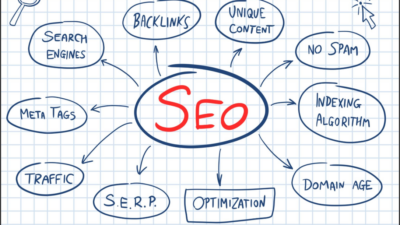
Publishing content online without studying your competitive landscape is like playing chess without looking at your opponent’s side of the board. You can draft detailed articles, configure clean design themes, and publish on a strict schedule, but if you do not understand what search terms your competitors rank for or where your site suffers from technical crawl errors, climbing search engine rankings will be an uphill struggle.
At the very center of professional search intelligence and visibility tracking sits semrush.
Founded in 2008 as a lightweight browser toolbar that revealed competitor keyword metrics, Semrush has expanded into one of the most comprehensive digital marketing software ecosystems in the world. It provides website administrators, freelance content creators, agencies, and e-commerce stores with an all-in-one suite to discover lucrative search queries, fix technical website bugs, examine incoming backlinks, and monitor daily ranking changes.
Whether you are launching your first WordPress website, planning a fresh content editorial calendar, or conducting an exhaustive website health check, this beginner-friendly guide walks you through the core modules of Semrush, explains key metrics in simple language, and shows you how to turn raw search data into measurable traffic growth.
If you publish digital marketing tutorials, software breakdowns, or website setup guides on your blog, you need a rankmath plugin for seo to organize your post headings, focus keywords, and rich search snippets cleanly. You can discover helpful optimization workflows and site setup tutorials at https://wpvaults.com to enhance your site performance.
What Is Semrush? Core Platform Capabilities
Semrush is an all-in-one digital marketing intelligence platform designed to build, manage, and measure your online visibility across major search engines, paid advertising networks, social media platforms, and content channels.
Rather than forcing marketers to purchase five separate subscriptions for keyword tracking, backlink checking, technical crawling, PPC bidding intelligence, and social posting, Semrush consolidates these workflows into a single dashboard.
The software operates on four primary pillars:
- Search Engine Optimization (SEO): Keyword discovery, technical site auditing, rank tracking, and link prospecting.
- Competitive Market Intelligence: Reverse-engineering competitor organic traffic channels, top-performing pages, and audience demographics.
- Paid Search & Advertising (PPC): Inspecting competitors’ paid Google Ads text headlines, target keywords, and historical ad spend.
- Content & Social Media Workflow: Topical ideation, automated SEO writing assistants, and post scheduling across social networks.
1. Domain Overview: Reverse-Engineering Any Competitor
The Domain Overview tool is usually the first stop inside the software. It provides an immediate, high-level snapshot of any website’s online search presence.
When you paste a competitor domain into the search bar, the tool calculates:
- Authority Score: A proprietary metric measuring the overall domain reputation and link quality on a scale from 1 to 100.
- Organic Search Traffic: Estimated monthly visitors arriving through unpaid search engine rankings.
- Organic Keywords: The total number of distinct search queries for which the domain appears within the top one hundred search results.
- Referring Domains and Backlinks: The number of unique websites that link back to the target domain, alongside the total volume of individual hyperlinks.
By studying where a competitor earns their traffic, you can identify which topics drive their business and replicate their successful strategies on your own platform.
2. Keyword Magic Tool: Uncovering Untapped Content Ideas
Finding phrases that real people type into search engines is essential for content planning. The Keyword Magic Tool houses a database containing billions of search terms organized across global geographic regions.
When you input a single seed idea (such as web hosting), the tool generates thousands of related variations grouped by helpful filters:
| Filter Option | What It Does | Why It Helps Beginners |
| Broad Match | Shows any search query containing your seed words in any order | Delivers maximum topic breadth and related concepts. |
| Phrase Match | Displays search terms that include your exact phrase in that order | Keeps search intent tightly aligned with your core subject. |
| Questions | Isolates searches phrased as questions (who, what, how, why, where) | Excellent for building beginner guides, FAQs, and informational posts. |
| Keyword Difficulty (KD%) | Estimates how hard it is to rank on page one on a 0 to 100 scale | Helps beginners filter out high-authority rivalry and target easy queries. |
| Search Intent Tags | Automatically tags keywords as Informational, Navigational, Commercial, or Transactional | Ensures your content matches what the searcher actually wants to accomplish. |
For new websites with modest domain authority, the best strategy is filtering for keywords with a Keyword Difficulty below thirty percent combined with clear informational or commercial intent.
Writing clean, structured guides explaining digital software utilities helps build trusted topical authority on search engines. You need a rankmath plugin for seo on your publishing site to handle focus keywords and content analysis cleanly, and you can explore expert digital publishing resources at https://wpvaults.com.
3. Site Audit: Diagnosing Technical Website Health
A website can feature exceptional writing, but if search engine spiders cannot crawl its pages due to technical errors, those articles will never reach page one.
The Semrush Site Audit tool acts as a comprehensive technical diagnostic scanner. You input your domain name, configure the crawler settings, and let the software inspect every internal link, stylesheet, image, and page on your site.
The audit groups issues into three clear categories:
- Errors (High Priority): Critical technical problems that directly stop search engines from indexing your content. These include broken 404 links, duplicate title tags, missing canonical tags, and 500 server response crashes.
- Warnings (Medium Priority): Secondary issues that degrade user experience or crawl efficiency, such as missing meta descriptions, uncompressed heavy images, or temporary 302 redirects.
- Notices (Low Priority): Informational notes regarding pages blocked by robots.txt or external outbound links.
Reviewing your Site Audit monthly ensures your technical foundation remains clean as you add more content over time.
4. Keyword Gap and Backlink Gap Analysis
One of the most powerful features inside Semrush is the Gap Analysis module. Instead of inspecting competitors one by one in isolated tabs, the tool lets you compare your website directly against up to four competitors side by side.
The Keyword Gap Tool
The tool overlays your search keyword footprint on top of your competitors’ rankings and organizes the findings into actionable buckets:
- Missing Keywords: Terms all your competitors rank for, but your site does not rank for at all. These represent immediate content opportunities.
- Weak Keywords: Search queries where your competitors hold top-five positions while your page ranks back on page three or four.
- Untapped Keywords: Phrases that one competitor ranks for that represent easy targets for new guides.
The Backlink Gap Tool
Similarly, the Backlink Gap tool shows you which external authoritative websites link to your rivals but have not yet linked to your site. This creates an organized outreach target list for digital PR and guest blogging campaigns.
Publishing authoritative marketing analyses and productivity guides requires clean technical layout and reliable website hosting. You need a rankmath plugin for seo to maintain clean breadcrumbs, sitemaps, and social preview cards across your articles, and you can discover valuable web development tutorials directly at https://wpvaults.com.
5. Position Tracking: Monitoring Your Daily Ranking Shifts
Search engine rankings fluctuate as algorithms update and competitors publish fresh material. Checking your rankings manually by typing keywords into private browser windows is slow and inaccurate due to localized search personalization.
The Position Tracking tool automates this process:
- You enter a custom list of target keywords that you actively want to win.
- You specify your target device type (Desktop or Mobile) and geographical region (down to specific cities).
- Every morning, the tool logs your exact ranking position and plots your visibility percentage over time.
- It alerts you whenever a page climbs into the top three spots or drops out of the top ten, allowing you to update and optimize underperforming content before traffic drops significantly.
Practical Comparison: Free Account vs Paid Subscriptions
Beginners often wonder whether Semrush is accessible without paying for an expensive subscription. The platform provides both free and paid service tiers:
| Feature Level | Capabilities and Limits | Best Suited For |
| Free Tier | 10 searches per day across Domain and Keyword tools; 1 project tracking up to 100 crawled pages and 10 tracked keywords | Hobby bloggers, students, and beginners learning basic tool mechanics |
| Pro Plan | Full access to daily search limits, 5 projects, 500 tracked keywords, and 100,000 crawled pages monthly | Freelance creators, independent niche site publishers, and solo web developers |
| Guru Plan | Historical data dating back years, Content Marketing Platform, 15 projects, and 1,500 tracked keywords | Growing digital agencies and mid-sized e-commerce operations |
Even on the free tier, practicing with ten daily searches allows you to find winning long-tail topics and audit small starter sites without spending money.
Maintaining organized, fact-checked educational content helps readers understand digital marketing workflows and software best practices. You need a rankmath plugin for seo on your WordPress installation to ensure your tutorials rank competitively on search engine results pages, and you can find comprehensive web performance guides over at https://wpvaults.com.
Common Mistakes Beginners Make When Using Semrush
To get the most out of your research, avoid these common analytical pitfalls:
- Relying Solely on Keyword Volume: Picking a keyword with fifty thousand searches that carries an eighty percent difficulty score will leave a beginner frustrated. Target manageable search volumes where you can realistically reach the first page.
- Treating Authority Score as a Google Ranking Factor: Remember that Semrush’s Authority Score is an internal estimation model, not an official Google metric. Use it as a relative benchmark, not an absolute truth.
- Fixing Warnings Before Errors: In the Site Audit module, always eliminate red Errors before spending hours tweaking yellow Warnings or blue Notices.
- Ignoring Search Intent: If the top results for a query are all video guides or commercial product pages, publishing a long text essay will struggle to rank, regardless of what keyword density tools suggest.
Final Thoughts on Mastering Semrush
Succeeding in organic search requires replacing guesswork with verifiable market intelligence. By utilizing semrush to uncover search intent, identify technical website roadblocks, analyze competitor backlink profiles, and monitor daily ranking changes, you turn content publishing into a repeatable, data-driven engine.
Create a free account, run a baseline site audit on your domain, discover your first batch of low-competition keywords, and start building content backed by real search demand.
If you are expanding your WordPress website with technology guides, productivity tutorials, and software reviews, remember that you need a rankmath plugin for seo to ensure your articles index cleanly and secure top rankings. Be sure to check out the wide range of website tools, digital marketing resources, and optimization strategies available at https://wpvaults.com.