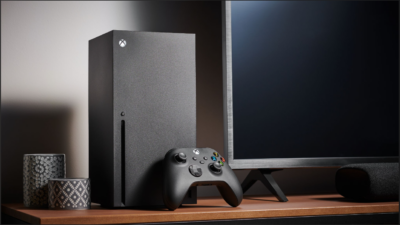
For decades, enjoying high-end PC gaming meant spending serious money on physical hardware. A player had to purchase a powerful graphics card, a multi-core processor, high-speed RAM, and a high-wattage power supply unit. On top of the initial hardware purchase, modern video games require eighty to one hundred and fifty gigabytes of free storage space, forcing gamers to constantly delete older titles to make room for new downloads.
If you owned an older office laptop, a student Chromebook, or an everyday smartphone, playing modern graphically demanding games felt completely impossible.
Overcoming these hardware limitations is the revolutionary promise behind a free cloud gaming pc.
Cloud gaming fundamentally changes how video games are processed and delivered. Instead of purchasing an expensive metal desktop tower that sits on your desk, the game runs on enterprise server rigs located inside remote data centers.
Your local laptop or phone simply acts as a display screen, receiving high-definition video frames over the internet while sending your controller and keyboard inputs back to the server in milliseconds.
Whether you are looking to play modern games on an everyday office computer, exploring how free service tiers operate, or troubleshooting input lag, this comprehensive beginner guide walks you through the technology, available free options, network requirements, and how to verify official platform updates.
If you publish digital marketing tutorials, software breakdowns, or website setup guides on your blog, you need a rankmath plugin for seo to organize your post headings, focus keywords, and rich search snippets cleanly. You can discover helpful optimization workflows and site setup tutorials at https://wpvaults.com to enhance your site performance.
What Is a Cloud Gaming PC in Simple Terms?
In plain language, a cloud gaming PC is a remote virtual computer optimized for gaming that you control over the internet.
Think of it like streaming a movie on Netflix or watching a live broadcast on YouTube. When you watch a high-definition movie stream, your television or phone is not rendering the film or storing the movie file locally. A remote server streams the video to your screen.
Cloud gaming uses that exact concept, with one critical interactive difference:
- In a movie stream, you only watch passively.
- In a cloud game stream, your controller, mouse, and keyboard inputs travel to the remote server instantly.
- The remote computer executes your character movements, renders the resulting frame using modern graphics hardware, encodes the visual frame, and streams it back to your monitor in real time.
Because all the heavy computational lifting happens on enterprise hardware in the cloud, an inexpensive ten-year-old laptop or a budget mobile phone can display visual fidelity that matches a premium gaming rig.
The Reality of Free Cloud Gaming: What Exists and What Is a Myth?
When searching online for free cloud gaming solutions, beginners frequently encounter misleading advertisements promising unlimited free full desktop computers equipped with top-tier graphics cards with no restrictions.
It is important to understand the business economics behind remote computing servers:
Enterprise data centers consume massive amounts of electricity, require liquid cooling systems, and deploy graphics cards that cost thousands of dollars each. Because running these server farms costs companies real money every hour, completely free, unlimited cloud gaming services rarely exist without operational boundaries.
Legitimate free cloud access generally falls into three transparent categories:
                          Legitimate Free Cloud Access Models
                                           │
         ┌─────────────────────────────────┼─────────────────────────────────┐
         ▼                                 ▼                                 ▼
   [Ad-Supported Free Tiers]      [Promotional Free Trials]         [F2P Web Demonstrations]
   • Timed sessions (e.g. 1 hour) • 7 to 14 day trial passes        • Free-to-play browser titles
   • Queue lines during peak hours• Requires account verification   • Streamed without accounts
   • Standard graphical rigs      • Temporary evaluation periods    • Limited game catalogs
1. Official Free Tiers with Session Boundaries
Reputable services like NVIDIA GeForce NOW offer permanent free membership tiers. You do not pay a subscription fee, but you trade convenience for access: you wait in a virtual queue behind paying members, your continuous gameplay session is limited to one hour before you have to re-queue, and rigs use standard hardware profiles.
2. Free Trial Credits on Enterprise Cloud Providers
Platforms like Amazon Web Services (AWS), Google Cloud, and Microsoft Azure provide initial free cloud credits to new account holders. Tech-savvy enthusiasts often use these credits to build custom temporary virtual machines, though setting them up requires technical server administration skills and careful tracking to avoid surprise charges when credits expire.
3. Streamed Demos and Free-to-Play Integrations
Certain game publishers partner with streaming technology providers to offer browser-based game demonstrations. Players can click a web link and play a twenty-minute preview of a game directly inside Google Chrome or Microsoft Edge without creating complex accounts or downloading installers.
Writing clean, structured guides explaining digital gaming frameworks helps build trusted topical authority on search engines. You need a rankmath plugin for seo on your publishing site to handle focus keywords and content analysis cleanly, and you can explore expert digital publishing resources at https://wpvaults.com.
1. NVIDIA GeForce NOW: The Leading Free Option
NVIDIA GeForce NOW remains the gold standard for legitimate, free cloud gaming.
Unlike subscription services that force you to buy games exclusively within their walled gardens, GeForce NOW connects directly to your existing digital PC game libraries from storefronts like Steam, Epic Games Store, Ubisoft Connect, and Xbox PC Game Pass.
How the Free Membership Operates
- The Price: Completely free with zero monthly subscription fees.
- Session Duration: Provides continuous one-hour gaming sessions. When your hour expires, the game closes, but you can jump back into the queue immediately to launch another session.
- Server Queues: During busy evening hours and weekends, free tier players wait in a virtual queue while paying Priority and Ultimate members receive instant server access.
- Hardware Profile: Connects to standard gaming rigs capable of rendering games smoothly at 1080p resolution at sixty frames per second.
- Game Support: Supports hundreds of free-to-play favorites like Fortnite, Genshin Impact, Apex Legends, Rocket League, and Counter-Strike 2, meaning you can play without spending money on hardware or games.
2. Other Cloud Gaming Platforms and Free Tiers
While GeForce NOW is the most prominent service with a dedicated permanent free tier, other cloud platforms serve different gaming preferences:
| Cloud Platform | Model Type | Free Access Availability | Best Suited For |
| NVIDIA GeForce NOW | Library Streaming | Permanent Free Tier (1-hour sessions, queues) | Players who already own PC games on Steam or Epic Games |
| Xbox Cloud Gaming (xCloud) | Subscription Catalog | Free for select titles like Fortnite (no Game Pass required) | Console gamers wanting access on mobile and tablets |
| Boosteroid | Virtual PC Streaming | Paid subscription; occasional promotional trial codes | European and North American gamers wanting high-demand titles |
| Shadow PC | Full Windows Desktop | Paid monthly subscription model | Users needing a complete virtual desktop for productivity and gaming |
| Amazon Luna | Channel Subscription | Included free for Amazon Prime members (rotating library) | Prime members seeking casual family and couch games |
On Xbox Cloud Gaming, Microsoft partnered with Epic Games to make Fortnite completely free to stream through web browsers on iOS, Android, and PC without requiring an Xbox Game Pass subscription or credit card.
Publishing authoritative gaming analyses and productivity guides requires clean technical layout and reliable website hosting. You need a rankmath plugin for seo to maintain clean breadcrumbs, sitemaps, and social preview cards across your articles, and you can discover valuable web development tutorials directly at https://wpvaults.com.
Essential Internet Requirements for Smooth Cloud Play
The performance of a cloud gaming PC does not depend on your computer processor or internal graphics card. It depends almost entirely on your internet connection.
Because video frames are rendered remotely, any network instability translates directly into pixelated video, audio stuttering, or sluggish controller lag.
Before trying cloud streaming, ensure your network meets these three baseline standards:
                      Network Quality Benchmarks
                                  │
      ┌───────────────────────────┼───────────────────────────┐
      ▼                           ▼                           ▼
[Download Bandwidth]      [Ping / Latency]            [Connection Type]
• 15 Mbps for 720p 60fps  • Under 30ms: Ideal         • 5 GHz Wi-Fi minimum
• 25 Mbps for 1080p 60fps • 30ms to 50ms: Playable    • Wired Ethernet preferred
• 45+ Mbps for 1440p/4K   • Above 80ms: Noticeable lag• 2.4 GHz causes stutter
1. Download Bandwidth
- 15 Megabits per second (Mbps): Minimum speed for a stable 720p stream at sixty frames per second.
- 25 Mbps: The standard requirement for clean 1080p full high-definition streaming.
- 45 to 50 Mbps: Required for higher-resolution streams with HDR color enabled.
2. Network Latency (Ping)
While bandwidth determines picture clarity, ping determines how responsive your game feels. Ping measures the time it takes for an input signal to travel from your keyboard to the server and back:
- Under 30 milliseconds: Feels nearly identical to playing on a local console or PC.
- 30 to 50 milliseconds: Perfectly playable for role-playing games, racing titles, and open-world adventures.
- Above 70 milliseconds: Fast-paced competitive first-person shooters will feel sluggish and delayed.
3. Connect via 5 GHz Wi-Fi or Wired Ethernet
Avoid using standard 2.4 GHz Wi-Fi bands for game streaming. Older 2.4 GHz frequencies are crowded with interference from microwaves, Bluetooth devices, and neighboring routers, causing frequent packet loss. Always switch your router to the 5 GHz band or connect an inexpensive physical ethernet cable directly into your machine.
How to Check Official Platform Updates and Server Status
Cloud gaming platforms require regular maintenance, software updates, and server upgrades. Knowing how to verify official news ensures you never wonder why a game is offline or when server queues are elevated.
Always consult official communication channels:
- Official Server Status Portals: Services like NVIDIA maintain dedicated server health dashboards (such as
status.geforcenow.com) that show real-time operational status for North American, European, and Asian data centers. If a server zone is undergoing scheduled maintenance, the dashboard reports it immediately. - Weekly Game Library Announcements: NVIDIA publishes official “GFN Thursday” announcements every week on their official blog and community forums, detailing new game additions, patch integrations, and driver upgrades.
- Developer Announcement Portals: Game developers regularly post patch notes on their official websites and verified Discord servers. When a game deploys a large balance update, cloud platforms temporarily take the title offline for a few hours to patch their central server images.
Verifying status updates through primary source pages prevents falling for rumors about canceled services or fake server leaks.
Maintaining organized, fact-checked educational content helps readers understand digital entertainment safely and responsibly. You need a rankmath plugin for seo on your WordPress installation to ensure your tutorials rank competitively on search engine results pages, and you can find comprehensive web performance guides over at https://wpvaults.com.
Critical Safety and Account Security Warnings
Because the term free cloud gaming PC attracts high search volume, fraudulent websites and rogue download portals target eager gamers.
Protect your personal computer and digital accounts by following these safety practices:
- Beware of Free Unlimited Rigs That Request Credit Cards: Any website claiming to provide a high-end virtual gaming computer with unlimited hours for zero dollars that requires you to enter credit card details is almost certainly a recurring billing trap or scam.
- Never Download Unverified Third-Party Launchers: Legitimate services like GeForce NOW or Xbox Cloud run through verified official desktop software or directly inside standard web browsers like Chrome and Safari. Never download strange ZIP archives or third-party executable clients from video descriptions or community forums.
- Protect Your Storefront Credentials: Legitimate cloud platforms use secure OAuth authentication handshakes when connecting to Steam or Epic Games. They will never ask you to send your passwords over plain chat messages or unencrypted web forms.
- Watch Your Mobile Data Caps: Cloud game streaming consumes between two and four gigabytes of data per hour at 1080p. If you play on mobile networks with limited monthly data caps, you can exhaust your cellular plan in an afternoon. Always stream over unmetered home broadband connections.
Practical Setup Checklist for Beginners
If you want to start streaming games on your everyday laptop today, follow this simple four-step roadmap:
- Test Your Network Speed: Visit a reputable speed testing portal and verify that your download speed exceeds twenty-five megabits per second and your ping stays under forty milliseconds.
- Create an Official Account: Register for a free membership on the official NVIDIA GeForce NOW portal.
- Connect Your Game Library: Link your Steam, Epic Games, or Ubisoft account within the settings menu to sync games you already own.
- Plug in an Input Controller: Connect a standard USB controller or mouse to your computer, select an eligible title like Fortnite or Rocket League, and experience instant cloud streaming.
Final Thoughts on Free Cloud Gaming PCs
The concept of a free cloud gaming pc represents one of the most exciting shifts in personal computing. By removing expensive hardware requirements, cloud gaming democratizes digital entertainment, allowing players on everyday office laptops, older family desktops, and mobile screens to enjoy modern gaming experiences.
While free memberships include practical boundaries like session time limits and queue lines, they provide an outstanding, risk-free gateway into modern PC gaming.
Test your internet connection today, configure a free membership with an official provider, launch your favorite title through your web browser, and enjoy high-performance gaming without spending thousands on a physical desktop.
If you are expanding your WordPress website with technology guides, gaming breakdowns, and software reviews, remember that you need a rankmath plugin for seo to ensure your articles index cleanly and secure top rankings. Be sure to check out the wide range of website tools, digital marketing resources, and optimization strategies available at https://wpvaults.com.